
01
Describe
“Add an EMA 20 to my chart.”
CHARTCONTROL / 01
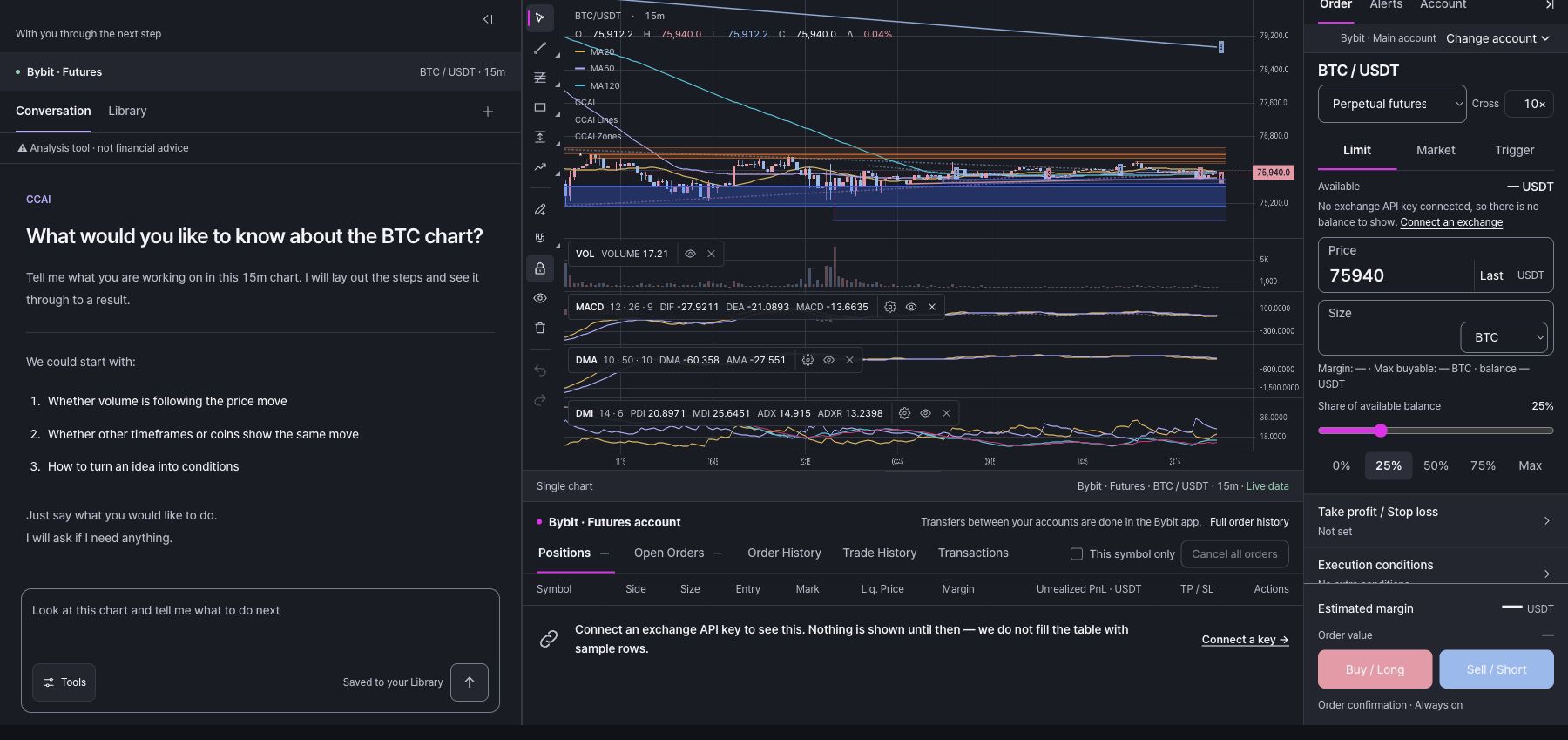
Say what you want to see.
Start with a sentence in the CCAI panel beside your chart.
THE AI WORKSPACE FOR YOUR TRADING IDEAS
NO CODE. ALL YOURS.Your words become indicators, market searches and tested strategies. Your AI agent connects the steps.
3 free chats on signup. No card required.
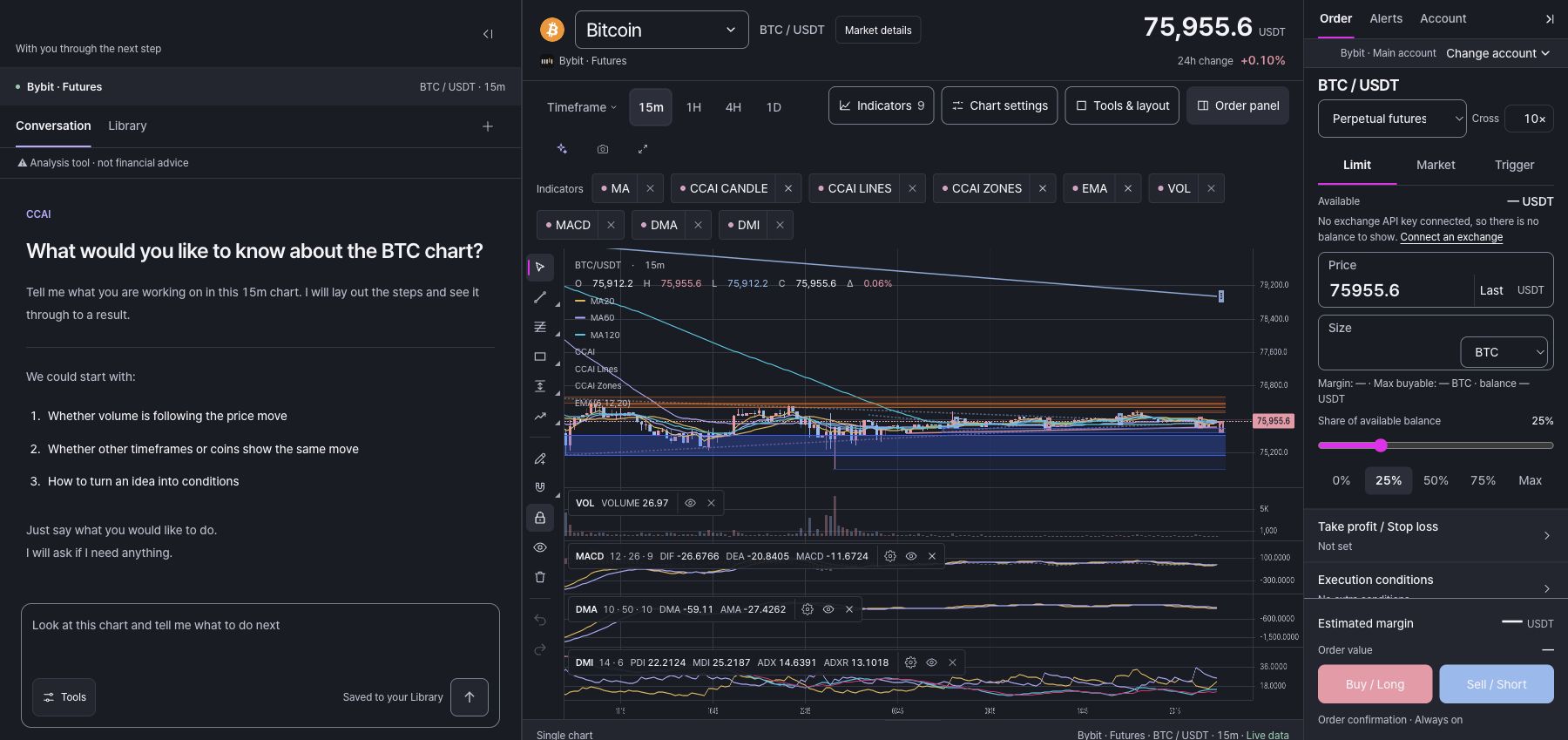
“Make it an EMA 50.”One conversation. A new view of the chart.
THE FIRST PROOF / NO CODE
An indicator is a first step. This is what building in conversation looks like.
“Add an EMA 20 to my chart.”
Start with a sentence in the CCAI panel beside your chart.
EMA 20 · added to the chart
The same chart now includes your requested indicator. No code editor, no context switch.
“Change the EMA period to 50.”
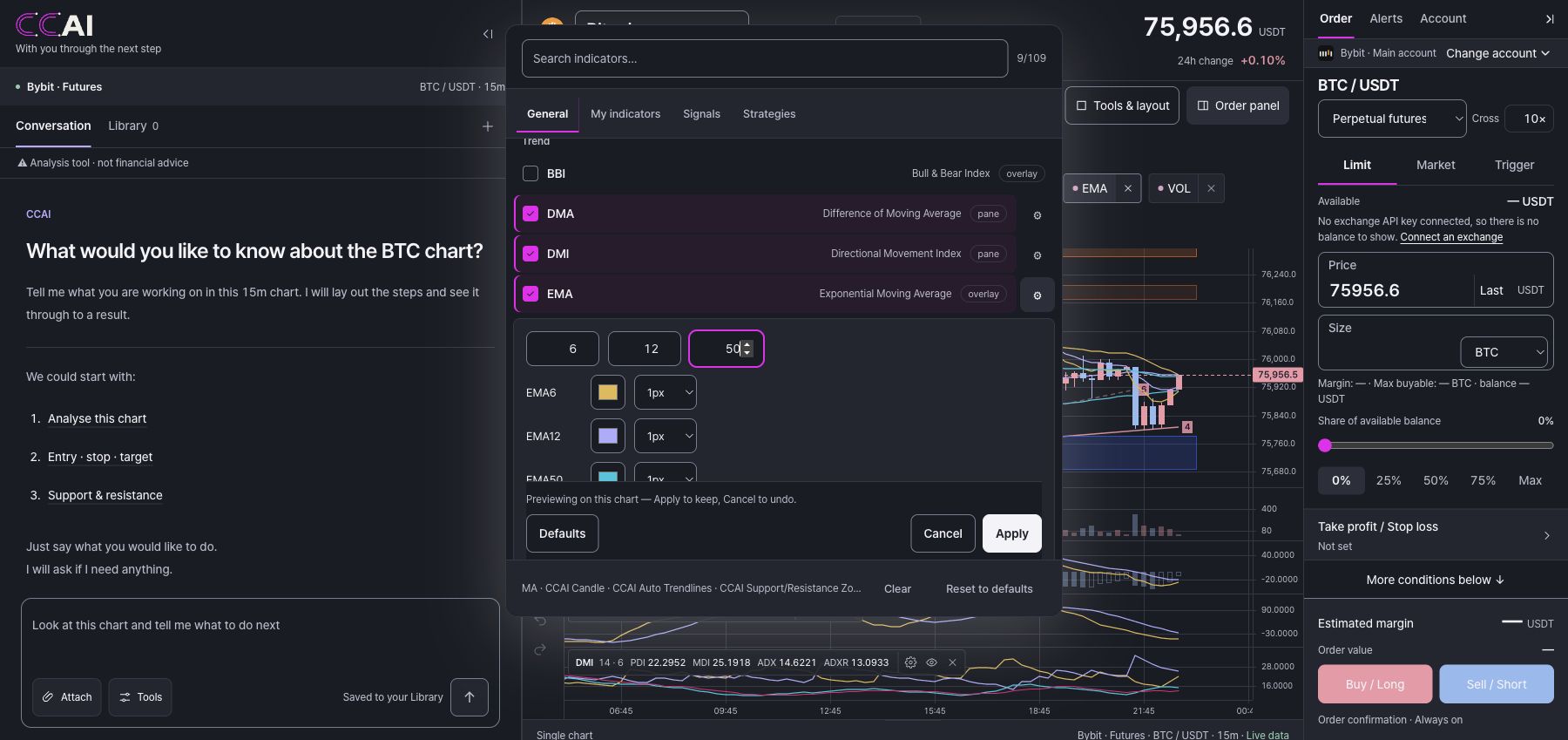
Ask for a change and inspect the updated overlay. Your next idea can start right here.
01 / THE PRODUCT
Go from understanding a market to reviewing your next move—with your context and your agent close by.
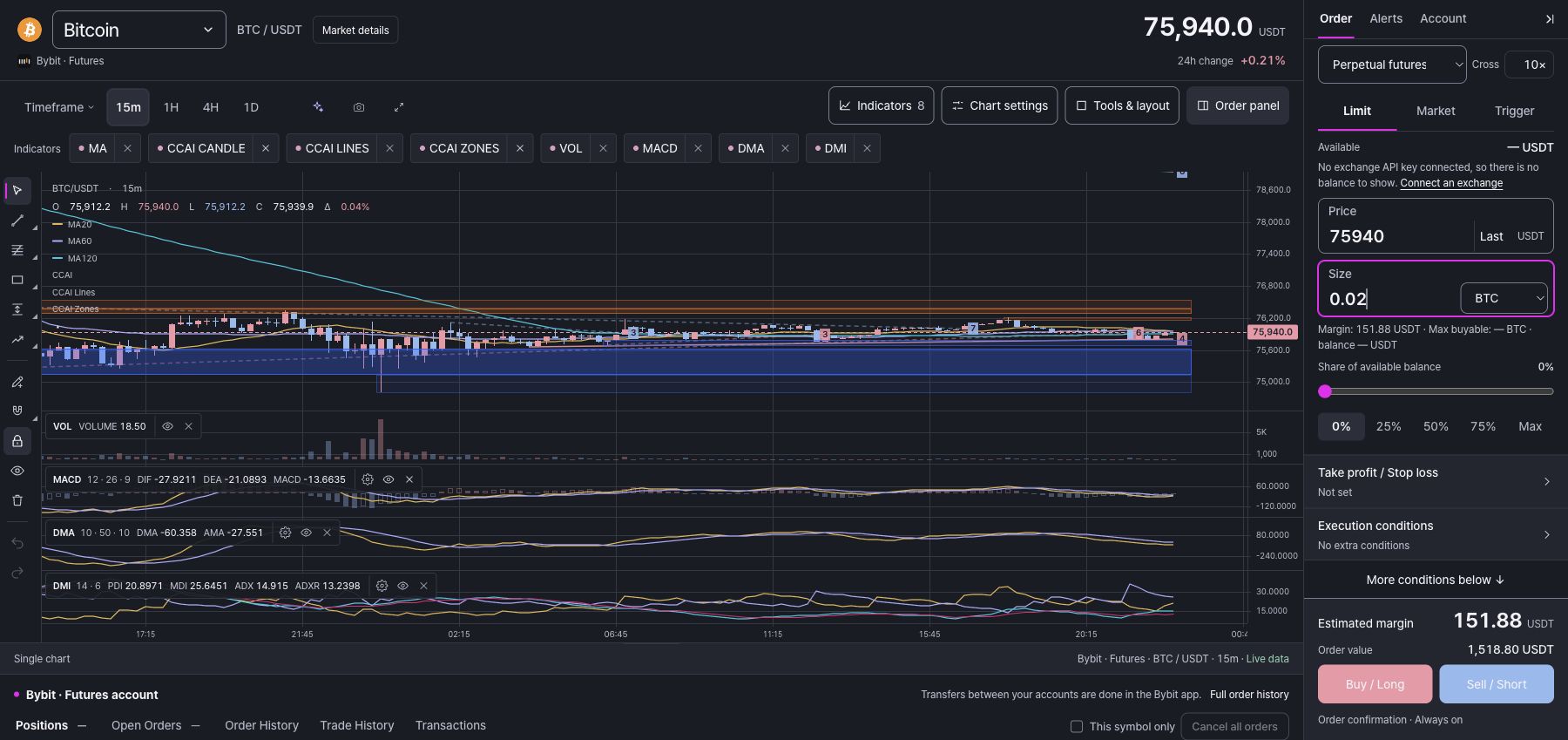
Chart
Choose a market, study the chart and shape your view with indicators and drawing tools.
Scroll through the workflow ↓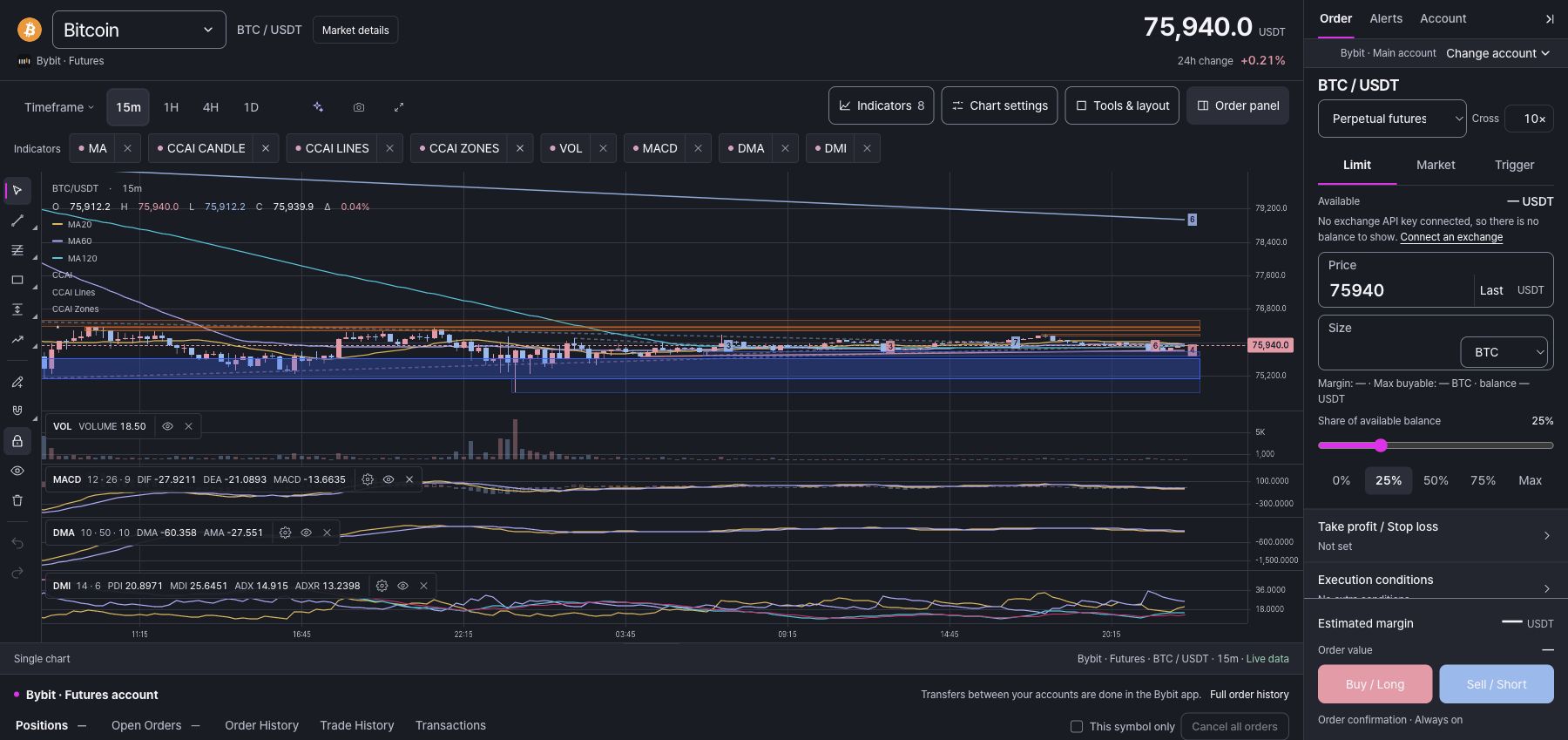
02 / BUILT WITH YOUR AI AGENT
Move beyond a single answer. Turn your idea into rules, test the evidence and keep shaping the work.
01 / Build
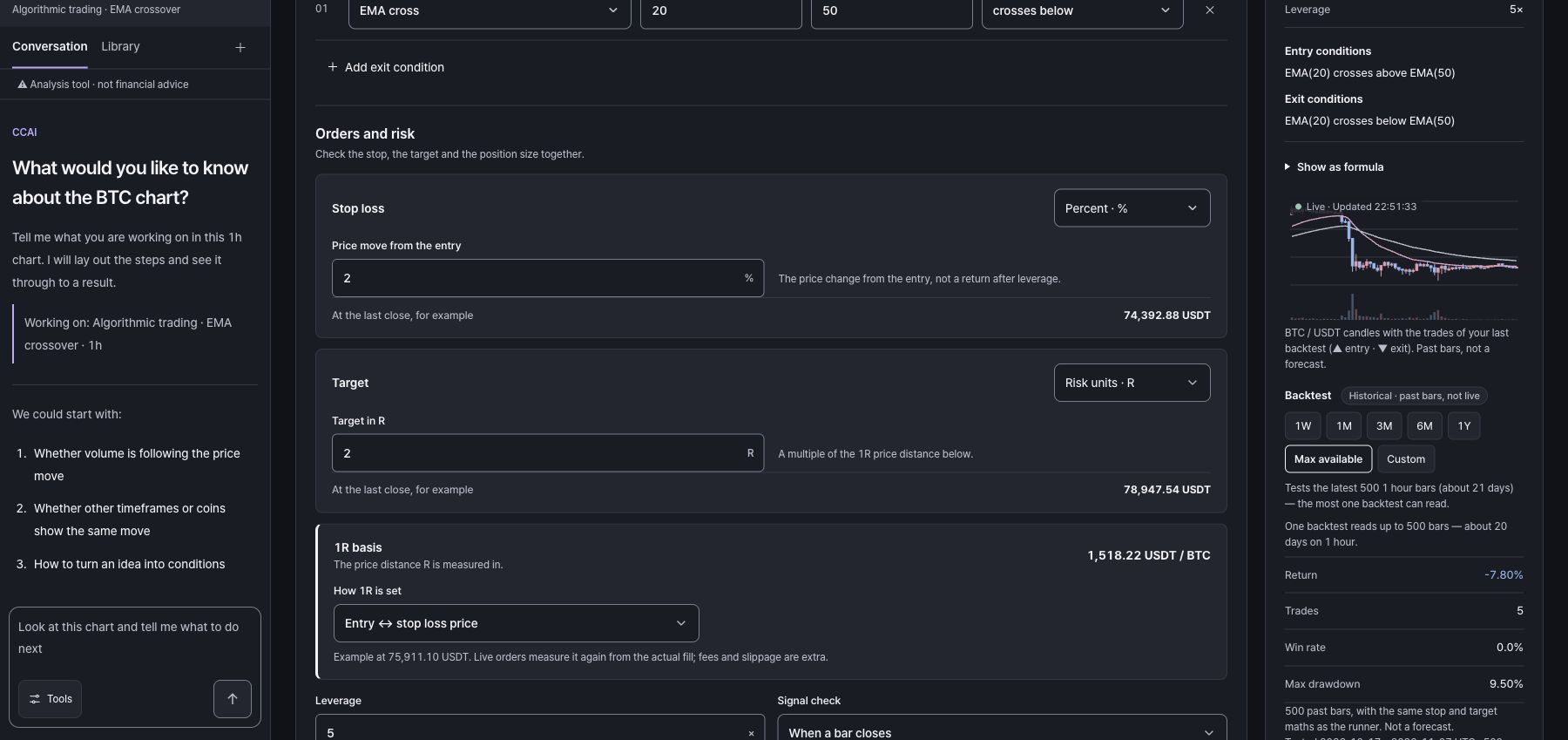
Describe your entry, exit and risk rules. Shape them with your agent, then inspect the conditions in the visual builder.
“Build an EMA crossover strategy. Let me review the rules.”
Entry conditions → Exit conditions → Risk settings
Explore this workspace02 / Test & refine
Review a backtest together. Inspect drawdown, fees and trades, adjust a rule and test again. A different setting is a hypothesis—not a promise.
“Review this backtest. What should I examine before changing it?”
Review trades → Change a rule → Compare the next test
Explore this workspace03 / Find matches
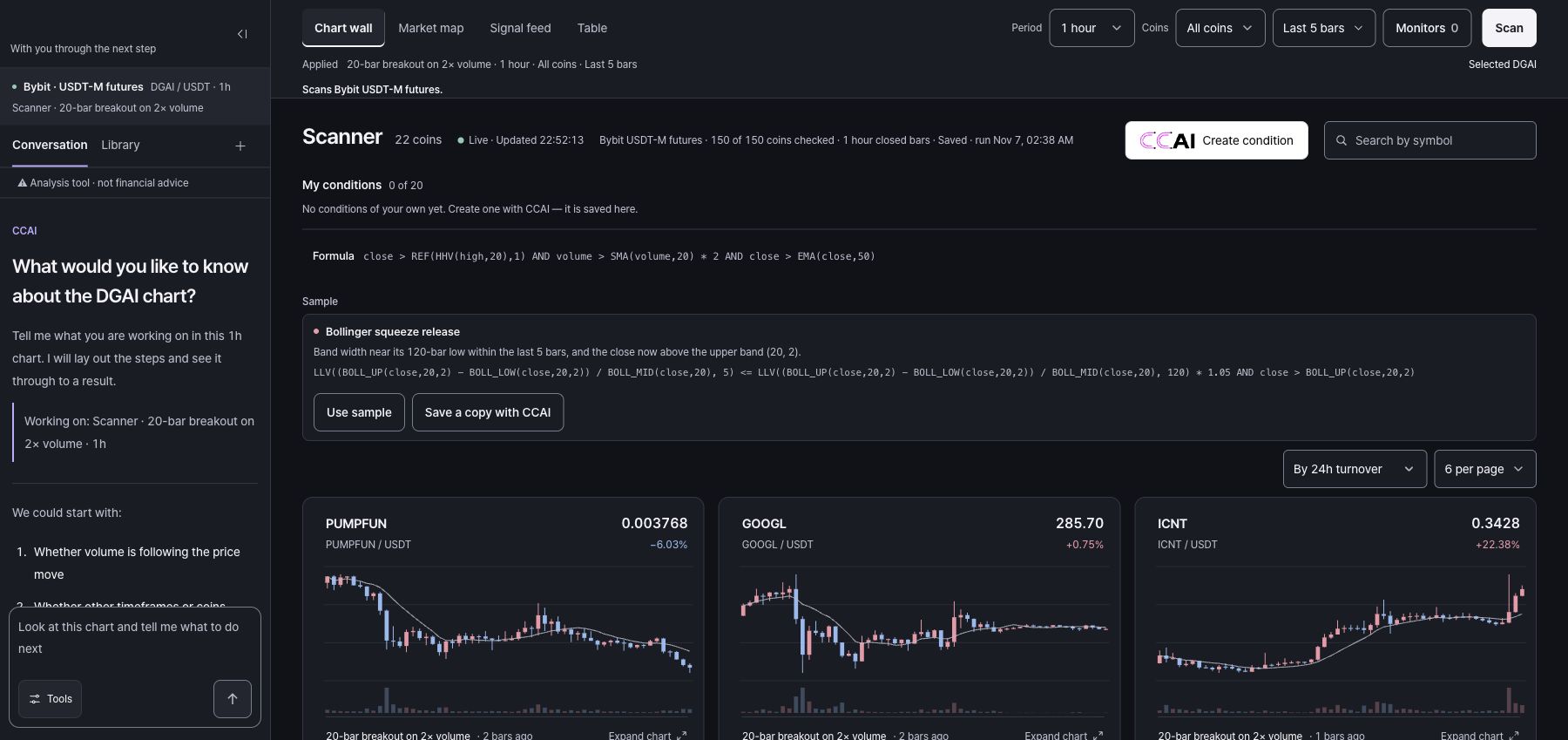
Turn indicator conditions into a market search. Adjust the timeframe and find the instruments worth a closer look.
“Find markets with a volume surge on the one-hour chart.”
Choose conditions → Scan markets → Open a match
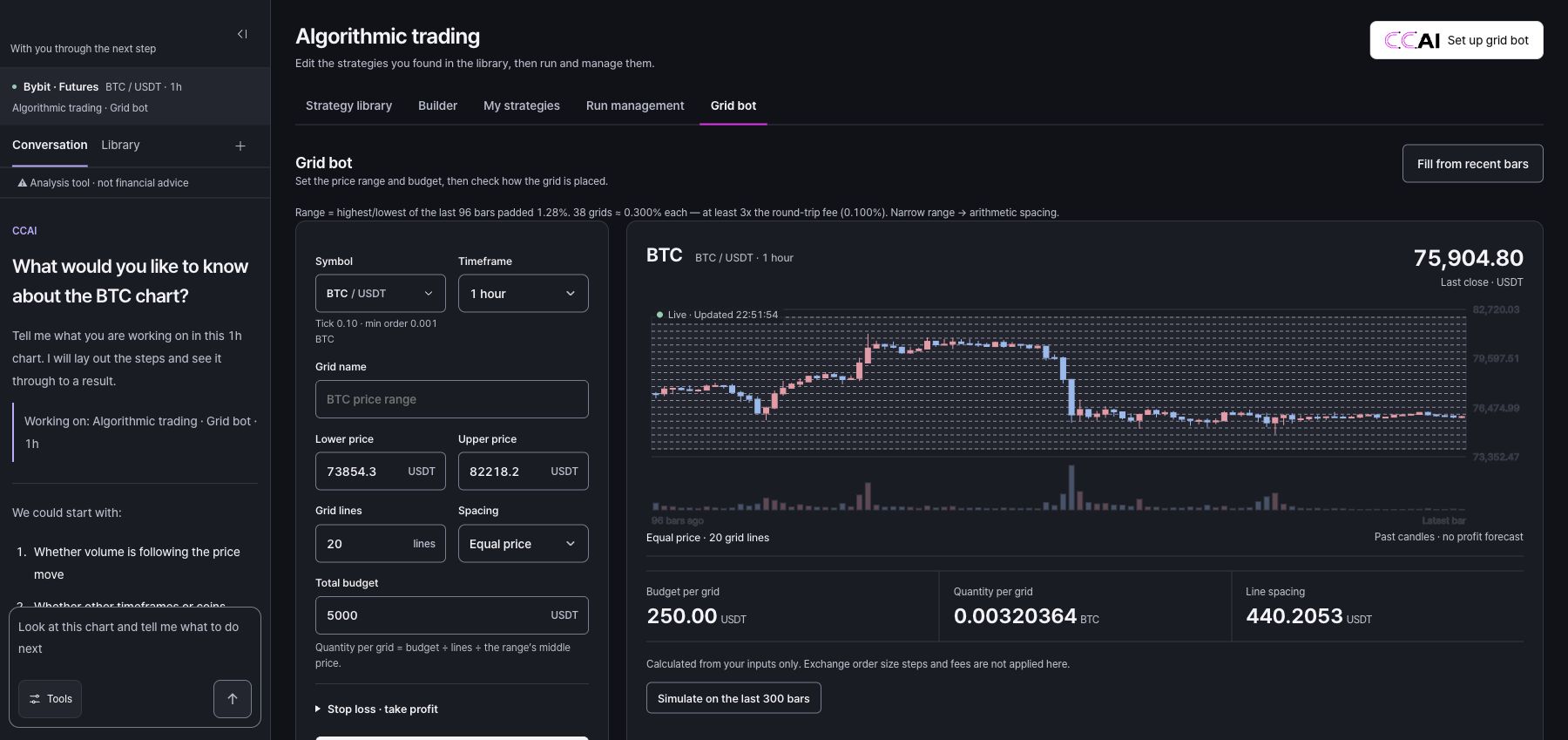
Explore this workspace04 / Plan a grid
Explore the price range, grid spacing and budget with AI. Inspect the configuration and begin with a paper grid.
“Help me plan a grid, including the range, budget and stop.”
Set a range → Review spacing and budget → Paper run
Explore this workspace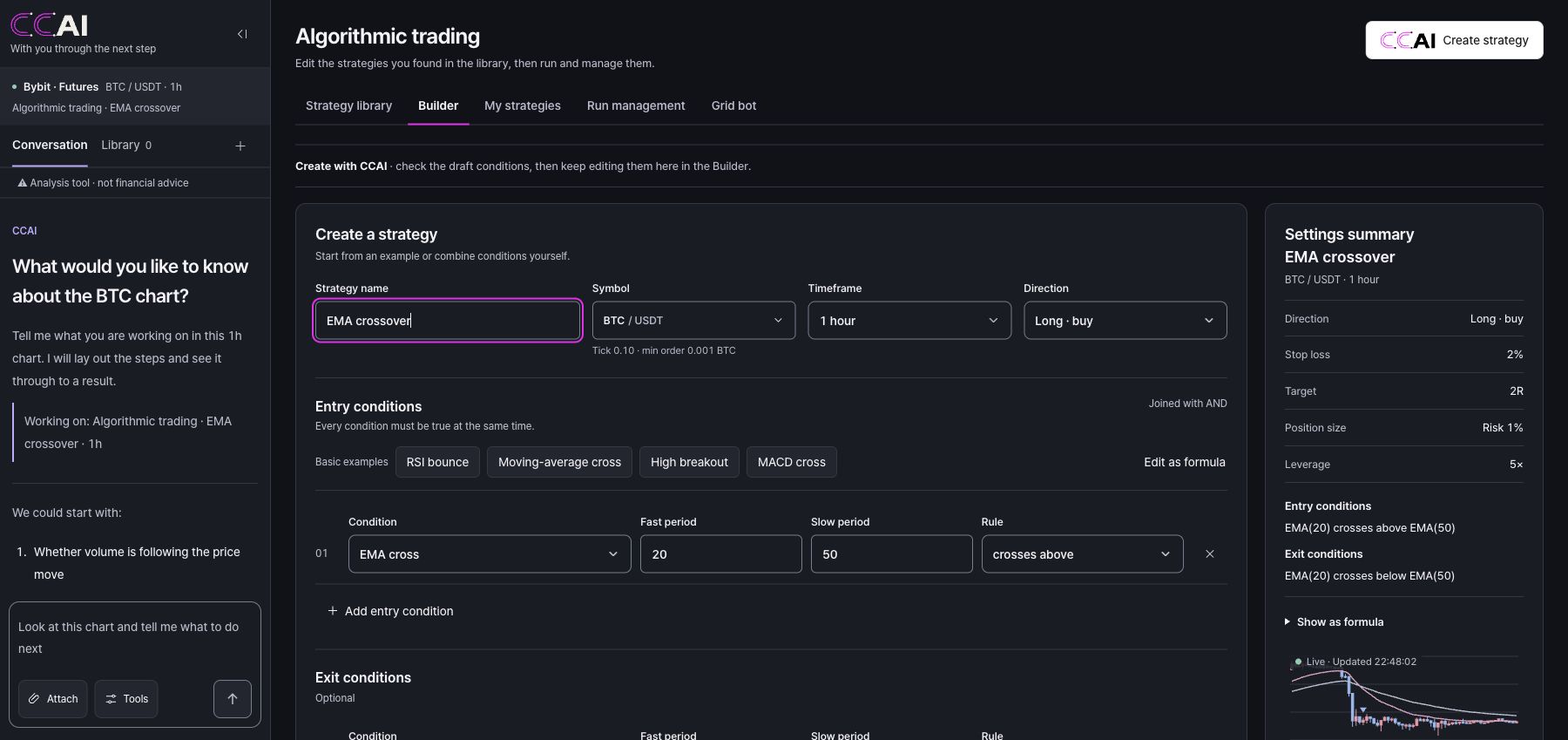
03 / YOU STAY IN CONTROL
Let your agent help with the work.
Keep the decisions that matter.
Review the entry, exit, budget and risk settings.
Inspect what happens before committing real funds. Grid execution is paper only.
Approved quant strategies can run 24/7. Live execution requires your connected account and separate approval.
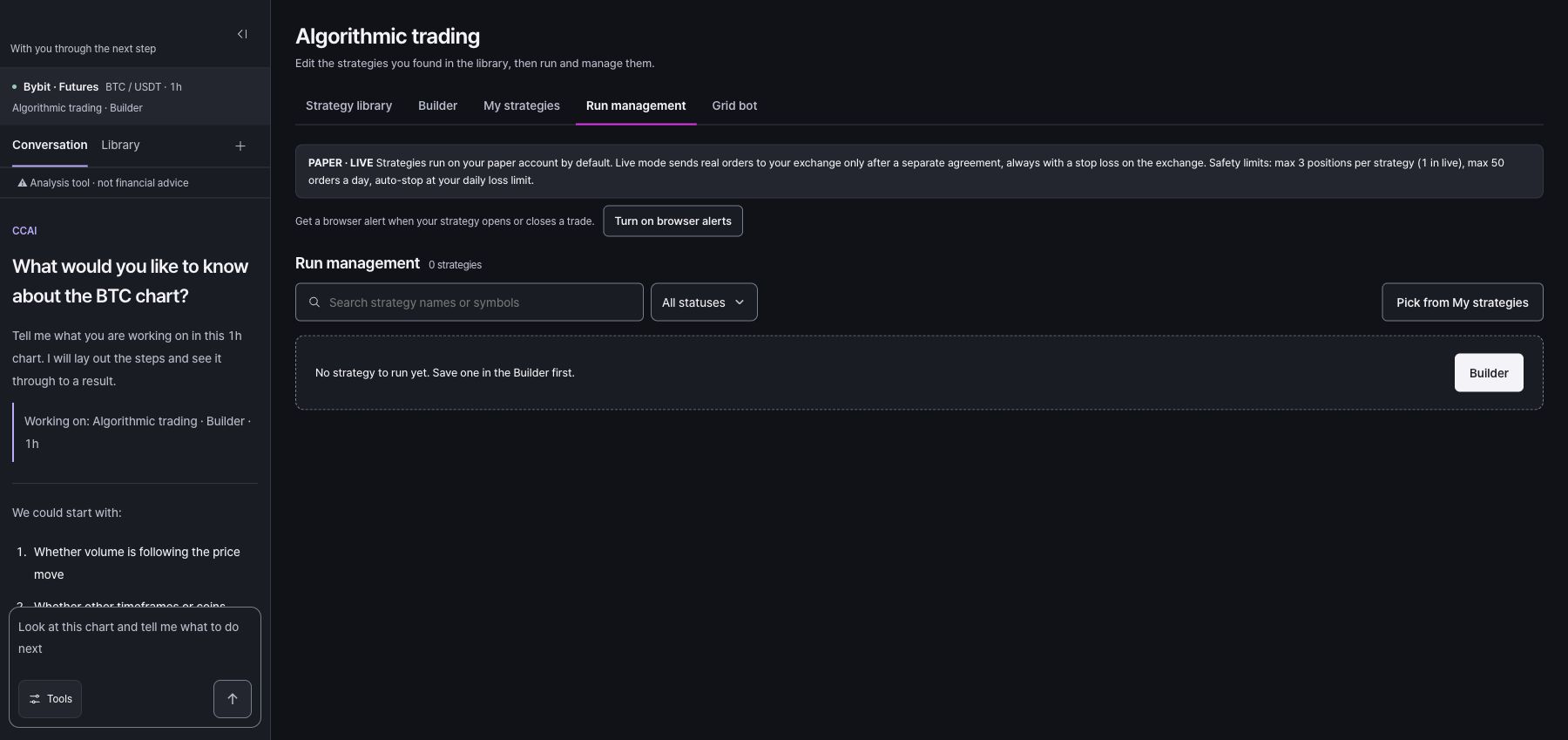 CHARTCONTROL · RUN MANAGEMENT
CCT / THE CHARTCONTROL TOKEN
CCT is ChartControl’s in-site token. Earn it as you use ChartControl, and spend it on AI credits. Spent CCT is burned.
Testnet CCT is on testnet only. Testnet CCT has no monetary value. You can use it for AI credits inside ChartControl. ChartControl makes no promise that testnet CCT will be converted to, or exchanged for, any other token.
PRICING / ROOM TO EXPLORE
Every plan includes charts, indicators and backtesting. Choose the AI allowance that fits the way you work.
$0USD / month
1,000AI credits / month
$19USD / month
9,000AI credits / month
$49USD / month
30,000AI credits / month
$99USD / month
72,000AI credits / month
$199USD / month
200,000AI credits / month
Monthly plans in USD. AI usage varies by request. Review plan and payment details before confirming.
3 on signup, then 3 every 12 hours, up to 12. Quest and event awards can take you above 12.
Included with your plan, earned through rewards or purchased in packs with PayPal.
Earned through quests, events, competitions and trading activity. Reward credits aren’t sold.
When the new terms took effect on 7 November 2026, existing balances converted to AI credits at 1:1. Reward credits then started again from zero and now come only from quests, events, competitions and trading activity.
04 / EXCHANGES
Bybit, Bitget, KuCoin and XT.COM are our official partners—bringing your workflow to more markets.


Explore Bybit markets and continue your workflow with your own exchange account.
 Bitget
Explore Bitget markets and continue your workflow with your own exchange account.
 KuCoin
Explore KuCoin markets and continue your workflow with your own exchange account.
 XT.COM
Explore XT.COM markets and continue your workflow with your own exchange account.
Planned integrations. These exchanges are not currently ChartControl partners. Names are trademarks of their owners.
Your funds stay with your exchange. Withdrawal permission isn’t required. Check the available connection methods and features before you connect.
Explore account connection AlpacaIEX
Alpaca account connection is available. Balances and order entry are not yet available here.
Alpaca’s free real-time market data comes from IEX (Investors Exchange).
Securities brokerage services are provided by Alpaca Securities LLC (dba "Alpaca Clearing"), member FINRA/SIPC, a wholly-owned subsidiary of AlpacaDB, Inc. Technology and services are offered by AlpacaDB, Inc. Nothing in this document is an offer to sell or a solicitation of an offer to buy securities, products or services, by any person or entity in any jurisdiction or country where such distribution or use would be contrary to law or regulation. This is not an offer, solicitation of an offer, or advice to buy or sell securities or open a brokerage account in any jurisdiction where Alpaca Securities is not registered or licensed, as applicable.
FAQ / BEFORE YOU START
Short answers about trading, funds, plans and exchanges. Something else? Ask in the Telegram group.
Only if you set it up. Normally the AI fills in an order with the entry, stop and risk/reward, and you approve, change or delete it. Grid bots run on paper only. Live algorithmic trading runs only the rules you created and started yourself, on your connected account after a separate approval, and you can pause it anytime.
Never. Your money stays on the exchange. Orders are placed on your own exchange account with your own API key. ChartControl doesn’t hold your funds and can’t withdraw them.
No. We don’t publish win rates or promise results. The AI reads the chart, shares its view with entry, stop and targets, marks the levels, and shows what would prove it wrong. It’s analysis, not investment advice.
Charts with indicators and drawings, AI chart analysis, trading on your connected exchange, price alerts and backtesting. No card and no deposit. The Free plan includes 1,000 AI credits every month, and free chats come first: 3 when you sign up, then 3 more every 12 hours, refilling up to 12.
KuCoin, Bybit, Bitget and XT.COM are our official partner exchanges. Connect your own account for charts, CCAI and trading of USDT perpetual futures. You can also connect Alpaca for US stocks; balances and orders for Alpaca are not available yet.
When the new terms took effect on 7 November 2026, existing balances converted to AI credits at 1:1. Reward credits then started again from zero. Each CCAI chat uses free chats first, then AI credits, then reward credits. Reward credits aren’t sold.
Plans and AI credit packs are paid with PayPal. You can cancel a plan at any time; see the refund policy.
The app is in English, but the AI replies in whatever language you write in.
Yes. Your questions are handled within your own session, and your positions and keys are never shared with other accounts. We only use your activity to improve the AI if you choose to allow it.
START WITH SOMETHING YOU’VE BEEN WONDERING
05 / PARTNERS